
The World section
The World section is the first one Studio opens, and the one you will use most. It holds the world's name, the words on its card, the first thing a player reads, how the narrator writes, the cover, the genre and the clock.
What it is for
World is the front page of your world. A player sees most of it before they play: the title, the tagline and the cover on the card, the description on the world's page, and the opening when a session starts. The narrator reads the Style and the Opening to know how to write. The genre and the clock say what kind of world it is and when it begins.
What is in it
The World panel has these fields, in this order:
- Title: The world's name.
- Tagline: One line on the world's card, up to 140 characters.
- Slug: What a link to your world carries. It is lowercase words joined by dashes, every world has its own, and you can change it until the first publish.
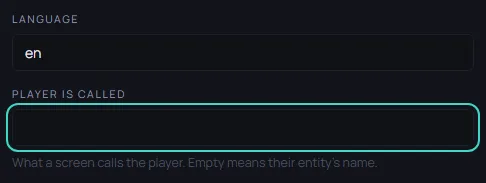
- Language: The language the world is written in. The templates use
en. - Player is called: What a screen calls the player. Leave it empty and the screen uses the name of the player's character.
- Description: What a player reads before they start.
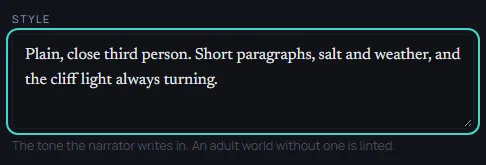
- Style: The tone the narrator writes in. One or two plain sentences are enough.
- Opening: The first passage every new session opens on, up to 1,200 characters. Write it as the player's own character, and name no player.
- Cover: The picture on the world's card and page.
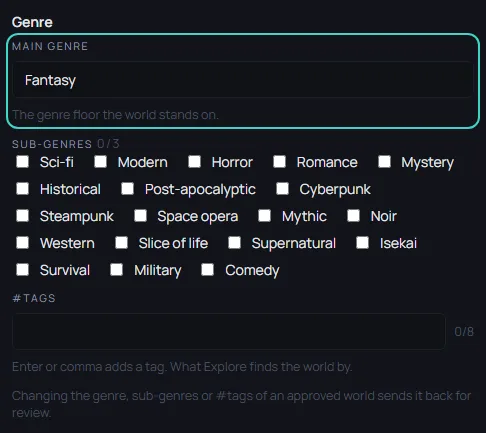
- Genre: Main genre is the genre the world stands on. Sub-genres adds up to three more. #Tags are up to eight words that Explore finds the world by.
The other panels in World:
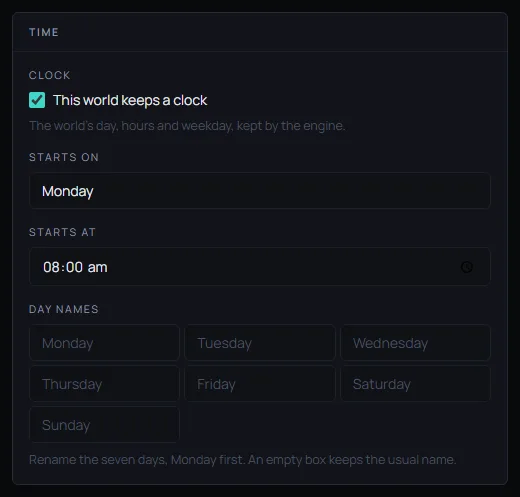
- Time: Whether the world keeps a clock, what day and time it starts on, and what the seven days are called. The clock is kept by the engine, and without one the narrator keeps no time, so days and hours may drift.
- Rating: Leave the Rating on SFW.
- Identity: Two read-only ids, set when the world was created. You never need to change them.
Every built section of the editor starts with a Guide line; Media has none. Its link opens that section's page in a new tab, so the editor and anything you have not saved stay where they were. The Guides link in the top bar opens the list of all guides the same way.

In Saltmere
Saltmere keeps the template's Language, Main genre (Fantasy) and clock, and changes the words a player reads. The Tagline is A harbour village under a lighthouse. The Style is Plain, close third person. Short paragraphs, salt and weather, and the cliff light always turning.
The Tagline, Description, Opening and Cover are written step by step in Make a world from a template.
When to change it
World is the first and the most used section. Change the words on the card and the opening as often as you like while the world is a draft. Once a world has been approved, publishing a new tagline, opening, cover or genre sends it back to review.
The list on the left of the editor holds more than the sections above: Schema, Vocabularies, Tool policy, Rulesets and Code. Most worlds never need them, and a first world can be finished without opening any.