
The Rulesets, Constraints and Laws sections
Three parts of Studio are about rulesets: the Rulesets section of a world, and the Constraints and Laws sections of a ruleset. This page covers all three, because a world pins a ruleset and a ruleset carries constraints and laws, and the two sides explain each other.
What it is for
A ruleset is a setting you can share between worlds. It holds variables, rules, scenes, lore, tool-policy ceilings, and two things only a ruleset has: constraints and laws.
A world pins a ruleset. When the world is compiled, which is what is played and what is published, everything the ruleset holds is merged into it. Each part shows in its own editor, marked as inherited.
- A constraint is one sentence for the narrator. It reaches the narrator every turn.
- A law is a check for the engine. It runs over every world that pins the ruleset.
What is in it
In a world: Rulesets
The Rulesets section has one panel, Rulesets this world pins. Add from published opens a dialog, Add a ruleset, where you choose a published ruleset and give it a Range.
Each pin is a row with the ruleset's name and title, and chips that say which version the pin lands on, the latest version, and whether an upgrade is available. A row has:
- Range: What the world asks for.
^1.0.0takes any later 1.x,~1.0.0takes any later 1.0.x, and1.0.0takes exactly that. - Move pin: Saves a changed Range.
- Upgrade to: Shows when a later version is offered.
- Remove: Takes the pin out.
After any change, a dialog lists what it did by section: Constraints, Laws, Variables, Entity types, Rules, Scenes and Lore. It has two buttons, Put it back and Keep it. The change is already saved when the dialog shows. Keep it brings the result into the editor, and Put it back is a real undo.
In a ruleset: Constraints
Any account that can open Studio can write a ruleset. On Studio's start page, under My rulesets, choose New ruleset. It asks for a Title and a Name, which is lowercase words joined by underscores and cannot move once anything is published. Create makes the ruleset, and Open on its card opens the ruleset editor. The editor opens on Constraints.
At the top is This ruleset, with Title, Licence and Description. Under it is Builds on, for rulesets this one pins in turn. Then comes the Constraints panel.
A constraint is one sentence, up to 200 characters. Add a constraint makes a new one. Every constraint reaches the narrator every turn, word for word, and their order is their numbering. The panel How the narrator is told shows exactly that block, under the heading Laws of this world:.
In a ruleset: Laws
A constraint is prose for the narrator, and a law is a check the engine runs. A ruleset with only constraints is one the story can talk its way out of. Add a law makes a new one. Each law has:
- Kind: What it checks. The six kinds are Forbid an attribute, Forbid an entity type, Forbid words, Require a variable, Cap a variable and Custom condition.
- Severity:
Error — the world will not publish,Warning — almost certainly a mistake, but it plays, orRemark — worth saying, nothing more. - Message: What a creator whose world breaks the law is told.
Forbid words also has Words, matched as whole words whatever their capitals, and Where it looks, with three switches: Lore, Names and Descriptions.
A broken law shows in Problems with its message. An Error keeps Publish off until the world is fixed.
In Saltmere
Saltmere pins the ruleset Low Fantasy, Medieval at ^1.0.0. Open the Rulesets section and you find one pin row.
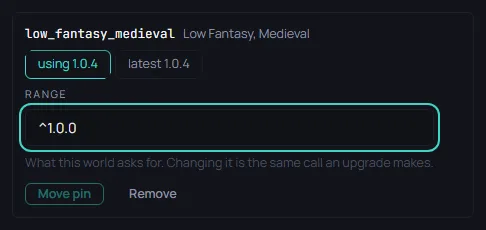
The ruleset's three constraints are these, word for word:
- Gunpowder has not been invented. No firearm, no cannon, no explosive of any kind exists.
- Magic is real, rare and costly: it is paid for in mana, it is never casual, and a caster is remembered for it.
- Law is feudal. A lord's word is the court, and there is no authority above a lord but the crown and the church.
Its four laws:
no_firearms_in_the_fictionis a Forbid words law. It forbidsgun,pistol,rifleandelectricityin lore, names and descriptions.no_ammo_attributeforbids any entity type from declaring an attribute namedammo.mana_is_declaredrequires a number variable namedmana.mana_is_boundedrequiresmanato declare a ceiling no higher than 100.
Saltmere never declares mana, and it never breaks a law, because the pin supplies mana. You can see it under Inherited variables in The Schema section.
The first law is the one a Saltmere author can meet. A lore line with the whole word gun would put an error in Problems, and Publish would stay off. A lore line with gunwale would not, because only whole words count.
When to open it
Most worlds keep the template's pin as it is. Open Rulesets to move a pin, to add a second ruleset, or to see what a pin brought. Write a ruleset of your own only to share one setting between several worlds.
Most worlds never need to open Rulesets, Constraints or Laws, and a first world can be finished without them.