
The Scenes section
The Scenes section holds your world's scene machines. A machine remembers where a story is, and moves it on when something happens. Many worlds keep the one the template gives them.
What it is for
Some parts of a story have stages. A stranger becomes a friend, a door is locked and then open, a night goes from calm to storm. A machine gives each stage a name and says what moves the story from one stage to the next. The rest of your world can then ask which stage the story is in.
A machine is made of two things:
- States: The stages. A machine is in one state at a time. The state it starts in is marked with a diamond.
- Transitions: The moves from one state to another. Each one waits for an event, a named thing that happens in the world, and moves the machine when that event arrives.
What is in it
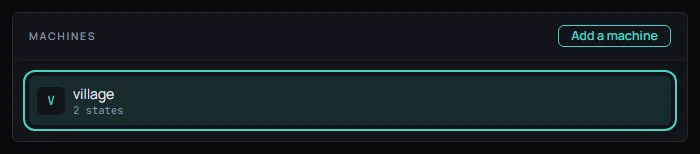
On the left is the list of machines. Each row shows the machine's name and how many states it has. Add a machine asks what to call it and makes one with a single state called start. Choose a machine to open it. Until you do, the section says No machine is open.
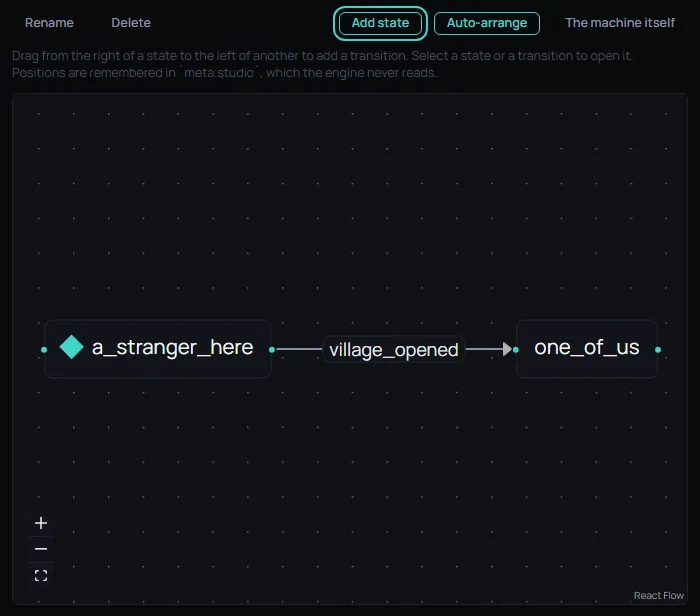
An open machine has a row of buttons above its canvas:
- Rename and Delete: Rename the machine, or delete it after a question.
- Add state: Adds a state to the machine. If a state is selected, the new one goes inside it.
- Auto-arrange: Puts the states in a tidy order.
- The machine itself: Opens the machine's own panel. The machine can have actions of its own on entry and on exit, and can carry a transition of its own.
On the canvas, each state is a box. To add a transition, drag from the dot on the right of one state to the dot on the left of another, as the canvas says, then choose the event that should make the move. Select a state or a transition to open it in the panel beside the canvas, where a state can be given actions on entry and on exit and a transition can be given a guard, a condition that has to hold for the move to happen. Drag a state to put it where you like. Positions are remembered, and the engine never reads them.
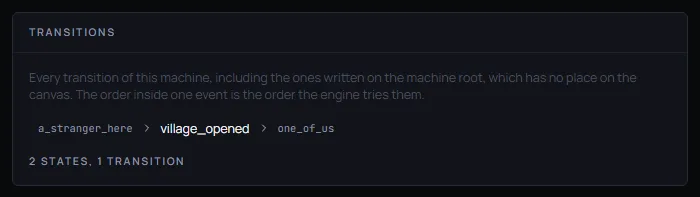
Under the canvas, the Transitions panel lists every transition of the machine as a row of the state it leaves, the event, and the state it reaches. Press a row to open that transition, which is the way to reach one with the keyboard. The order inside one event is the order the engine tries them.
In Saltmere
The Fantasy template comes with one machine, village, and Saltmere keeps it. It has two states: a_stranger_here, where it starts, and one_of_us. One transition joins them, and it waits for the event village_opened.
The template's rule the_village_opens sends that event. The rule is described as "Past a point, they stop watching you and start talking to you." When it sends village_opened, the machine moves from a_stranger_here to one_of_us. The machine holds the stage the village is in, and the rule is what moves it.
When to change it
Keep the template's machine for your first world. Add a machine when part of your story has stages, and give each stage a name a person would use. Start with the states, join them with transitions, and choose an event for every transition. A machine with no transitions never leaves the state it starts in.