
Publish and review
Publishing is how a world or a character you made reaches other people. This guide follows Saltmere, the harbour village world, and Wren Hollis, the sample character, from the Publish button to the moment a moderator approves them.
What publishing does
Publishing sends a world or a character to a moderator. Until a moderator approves it, nobody else can see it. It stays yours in the meantime: keep editing, and keep test-playing a world.
A persona is yours alone. It is never published.
Publish a world
Studio checks the world before it lets you publish. If Problems on the right of the editor lists errors, the Publish button in the top bar is off and tells you how many there are, for example "Publish — 1 error". Each problem links to its field. Fix them and the button turns on.
Press Publish. A dialog called Publish this world opens.
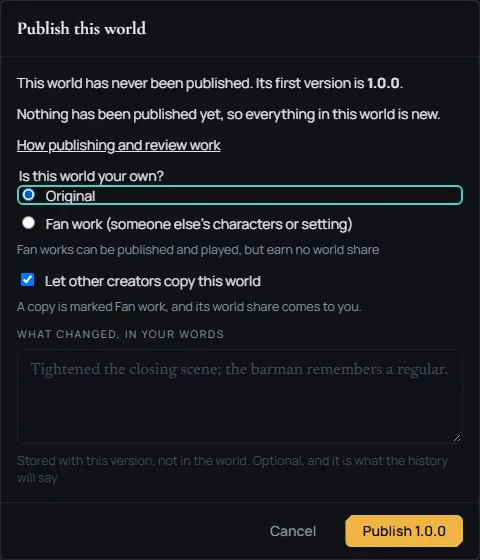
- The first time, the dialog says "This world has never been published. Its first version is 1.0.0." Saltmere starts at 1.0.0.
- Answer "Is this world your own?" Pick Original if the world is yours. Pick Fan work (someone else's characters or setting) if it is built on somebody else's work. The dialog says it plainly: "Fan works can be published and played, but earn no world share".
- Let other creators copy this world is a box you can leave on or turn off. When it is on, other creators can copy the world into their own Studio.
- What changed, in your words is optional. Whatever you write is stored with this version and is what the history says.
- Press Publish 1.0.0. A message says "Published 1.0.0."
After you publish, the notice in the editor says Waiting for review, and the world's card in My worlds says waiting for review.

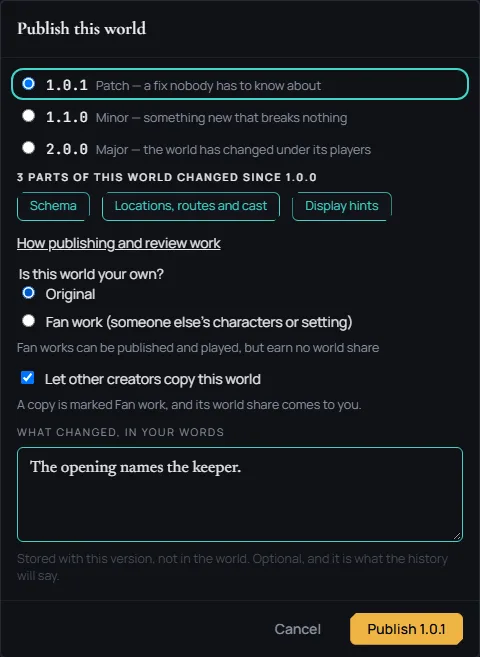
For a later version, the dialog asks which kind it is, and Minor is picked for you. Each choice shows the version it would be:
- Patch: "a fix nobody has to know about"
- Minor: "something new that breaks nothing"
- Major: "the world has changed under its players"
Under them the dialog lists the parts of the world that changed since the last version, asks again whether the world is your own, and has the same What changed, in your words box. On Saltmere, Patch makes the button read Publish 1.0.1.
Publish a character
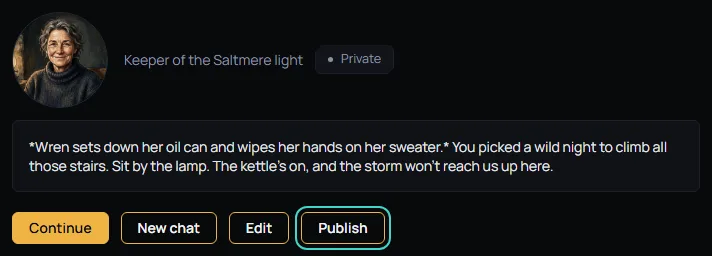
Open the character's own page and press Publish. Wren Hollis's page has it beside the chat buttons and Edit.
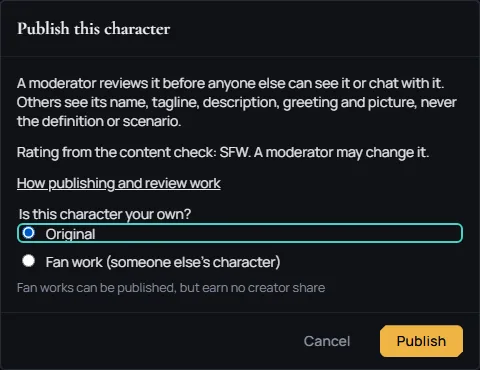
A dialog called Publish this character opens, and it says two things:
- "A moderator reviews it before anyone else can see it or chat with it. Others see its name, tagline, description, greeting and picture, never the definition or scenario."
- "Rating from the content check: SFW. A moderator may change it."
Answer "Is this character your own?" with Original or Fan work (someone else's character), then press Publish. A message says "Sent to a moderator."
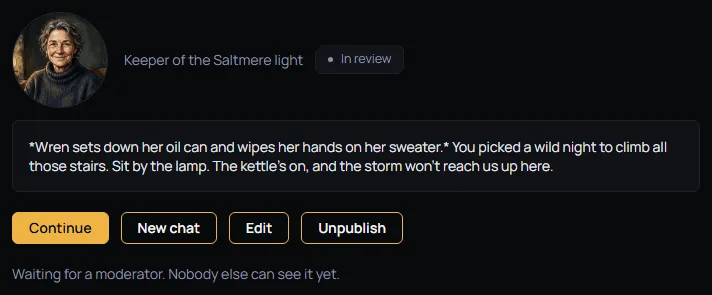
The chip on the page changes from Private to In review, and a line under it says "Waiting for a moderator. Nobody else can see it yet."
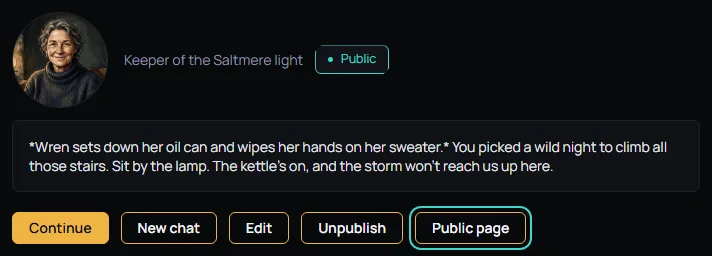
After a moderator approves it, the chip reads Public and a Public page link appears.
The public page has its own address, and the address does not change when you rename the character.
Every edit to a public character goes back to a moderator. Others keep seeing the approved version until the new one is approved.
To take a character back, press Unpublish. The dialog asks "Unpublish this character?" and tells you what follows: other people will no longer find the character or start a chat with it, chats already running keep their copy, and if you publish it again a moderator reviews it again.
What review means
A moderator reads what you sent and approves or declines it.
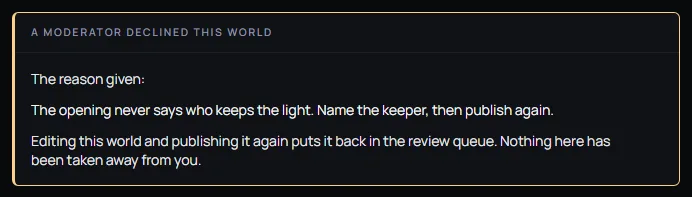
A declined world's editor shows A moderator declined this world, and under The reason given: the moderator's words in full. Here the moderator wrote "The opening never says who keeps the light. Name the keeper, then publish again." Nothing is taken away from you. Edit the world and publish it again, and it goes back to the queue.
Saltmere's creator changed the Opening to name the keeper and published a Patch. When a moderator approves a world, the card in My worlds says in the catalogue, and a Play link appears in the card's row of buttons. It names the version you published last, here Play v1.0.1.

An approved world goes back to review when you publish a change to its tagline, cover, opening, genre, sub-genres or #tags, when you publish a new rating, or when you publish a new major number. Until a moderator approves it again, the world is out of the catalogue: players cannot find it or start it.
For a character, the chip on its page is one of five:
- Private: only you can see it.
- In review: a moderator has it.
- Public: other people can find it and chat with it.
- Declined: a moderator said no, and the page says why. Edit it and publish again.
- Removed: an admin took it down. Only an admin can bring it back.
Ratings and what cannot go into a world
Every world and every character has a rating. There are three:
- SFW: "Nothing that needs a warning."
- M17: "Mature themes, nothing explicit."
- 18+: "Adult fiction. Players must opt in."
A world's rating is set in the Rating panel of the World section, and it offers the ratings your site allows. A character's rating comes from the content check when you save it, and a moderator may change it. On a character the middle rating is shown as Mature.
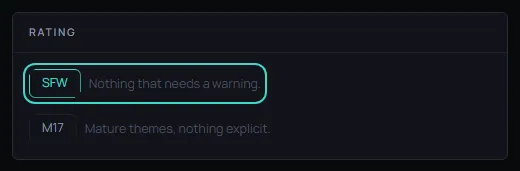
Ratings only move up. A world published at 18+ is never published lower, and an imported world cannot be published under the rating its import check gave it. 18+ worlds and characters are never shown on rpdive.com.
Held is what you see when the content check was not sure about a character. A held character saves and stays private. It cannot be published, and it cannot be copied into a world. The dialog says: "The content check was not sure about this character, so it cannot be published. Change what it was unsure about, save, and try again."
An SFW world takes no held character and no character rated M17 or 18+. Copy characters into a world that matches their rating, or into a world rated above it.
Some characters are refused outright, at any rating.
What comes next
Once people can find your work, two more guides help: Your invite link and rewards explains how to bring people in, and Likes and comments explains what players can say about a world or a character.